Barcode Printer Troubleshooting: Faint Print, White Lines, Skipped Labels, Blank Prints
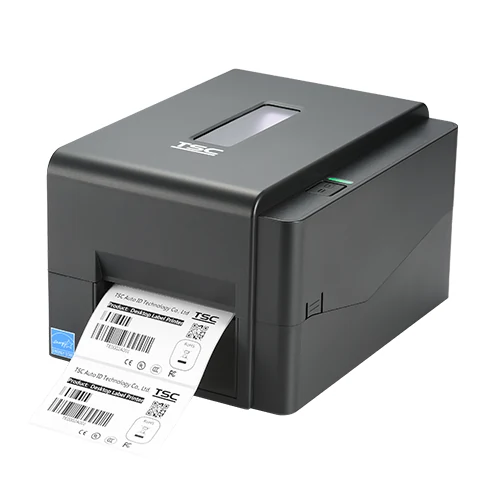
Many barcode printer problems can be fixed by cleaning, recalibrating or checking supplies. The following are general suggestions; procedures vary slightly by model, so follow your manual.
White lines or vertical gaps in the printout
Usually the printhead is dirty or damaged. First clean the printhead with a cleaning pen or an alcohol swab (after it has cooled down). If white lines remain in the same position after cleaning, the printhead may need replacing.
Print is too light or unclear
The darkness setting may be too low, the print speed too high, or the ribbon may not suit the label material. First increase the darkness or lower the speed, then check whether the ribbon type (wax, wax-resin, resin) suits this label.
Skipped labels, skewed or misaligned printing
A common cause is not recalibrating the sensor after changing labels, or label guides not set snugly. Run label calibration again and adjust the guides; this usually fixes it.
Ribbon wrinkles or diagonal streaks in the printout
This can be caused by a skewed ribbon, a ribbon much narrower than the label, or uneven printhead pressure. Reinstall the ribbon and pull it flat, and make sure the ribbon is slightly wider than the label.
Prints come out blank
- Thermal transfer printers: check that a ribbon is installed and facing the right way (CSO/CSI)
- Direct thermal mode: make sure you are using thermal paper (it turns black when scratched with a fingernail)
- The print method setting (direct thermal/thermal transfer) must match the supplies you are actually using
The computer sends a print job, but the printer does not respond
First check the cable or network connection and whether the printer is online, clear the print queue and restart. If that does not work, reinstall the driver, or try a different cable or a different computer.
FAQ
How often should I clean the printhead?
We recommend cleaning it each time you change a ribbon or label roll. Turn off the printer, wait for the printhead to cool, then wipe gently in one direction with a cleaning pen or a swab moistened with isopropyl alcohol (industrial alcohol).
What if it still does not work?
When you submit a repair request online, tell us which steps you have tried and attach a photo of a bad print — it helps us find the cause faster.
Related pages
Still not sure?
Tell us your printer model and what is happening, and we will take a look.